Implementation Tips

Here are some useful Implementation Tips .
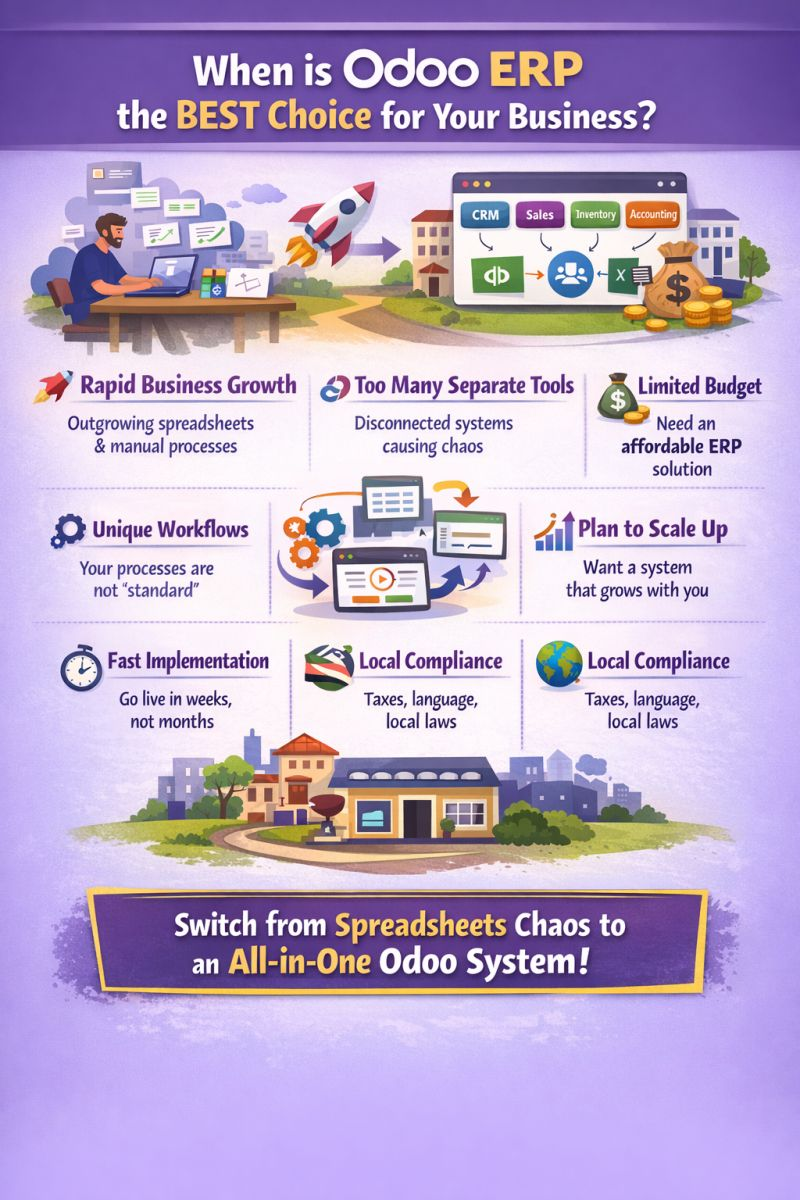
## 🎯 When is Odoo ERP the BEST choice?
Choosing Odoo isn’t about features only—it’s about **when your business hits a stage where structure, control, and scalability become critical**. Here are the situations where Odoo becomes the *best strategic decision*:
🚀 1. When Your Business is Growing (and Getting Messy)
As your company grows, operations become more complex:
* More customers
* More orders
* More employees
**Problem:** Manual tracking (Excel, WhatsApp, emails) starts to break.
**Why Odoo fits:**
* Centralizes all operations
* Gives real-time dashboards
* Keeps everything under control as you scale
👉 Ideal for companies moving from *startup → structured SME*
🔗 2. When You’re Using Too Many Separate Systems
Example stack:
* Accounting → QuickBooks
* Sales → CRM tool
* Inventory → Excel
**Problem:**
* Data duplication
* Errors in reporting
* No single source of truth
**Why Odoo fits:**
* Fully integrated modules
* One database for all departments
* Automated workflows (no re-entry)
💸 3. When You Need an ERP but Have Budget Constraints
Compared to:
* SAP Business One
* Microsoft Dynamics 365
**Problem:**
* High licensing & implementation costs
**Why Odoo fits:**
* Modular pricing (pay per app)
* Lower total cost of ownership
* No need for heavy infrastructure
👉 Perfect for SMEs that want ERP power without enterprise cost
⚙️ 4. When Your Business Processes Are Unique
Not every company fits “standard ERP flows”.
**Examples:**
* Custom approval cycles
* Industry-specific workflows
* Hybrid business models (services + products)
**Why Odoo fits:**
* Highly customizable (with or without coding)
* Flexible workflows
* Easy to adapt as business evolves
📈 5. When You Plan to Scale (Without Changing Systems Later)
Many companies start with small tools… then outgrow them.
**Problem:**
* Migrating systems later is expensive & risky
**Why Odoo fits:**
* Start with CRM or Sales
* Add Inventory, Accounting, HR later
* Same system, no migration needed
⚡ 6. When You Need Fast Implementation
Traditional ERP projects:
* 6–18 months 😵
**Odoo:**
* Weeks (for SMEs)
**Why it matters:**
* Faster ROI
* Less disruption
* Quicker team adoption
🌍 7. When You Operate in a Local Market (like Egypt)
**Challenges:**
* Tax regulations (VAT)
* Arabic language
* Local compliance
**Why Odoo fits:**
* Localization support
* Multi-language & multi-currency
* Strong partner ecosystem
🧠 Final Insight
Odoo is the BEST choice when your business is at the point where:
👉 **“Spreadsheets + separate tools are no longer enough… but enterprise ERP is too heavy and expensive.”**
## 🔥 Simple Rule
If you say **YES** to 3 or more of these, you should seriously consider Odoo:
* We are growing fast
* Our systems are disconnected
* Reporting is inconsistent
* We want to reduce operational cost
* We need scalability
* We want better control & visibility
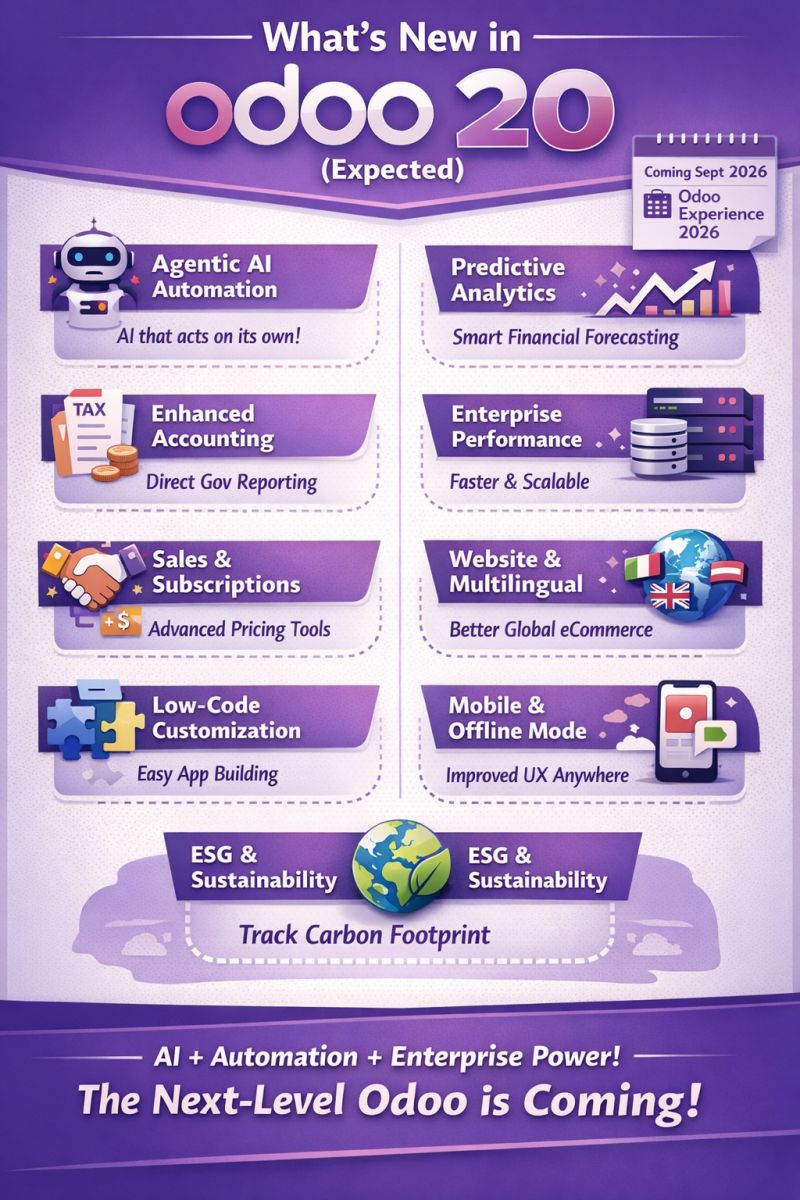
Here’s the **latest (expected) highlights of Odoo 20** based on 2026 roadmap insights and community previews 👇
# 🚀 What’s New in Odoo 20 (Expected)
⚠️ Important: As of now, **official features are not fully released yet** but these are **high-confidence expectations** based on roadmap trends.
🤖 1. Agentic AI (Next-Level Automation)
* Biggest shift in Odoo history
* Moves from **rule-based automation → AI that acts on its own**
* Examples:
* Auto-create purchase orders when stock drops
* Auto-assign leads & prioritize them
* Smart workflow execution without manual rules
👉 Think: **ERP that “does the work” instead of just helping**.
🧠 2. Predictive Analytics & Financial Forecasting
* Built-in **budget forecasting & scenario modeling**
* Predict:
* Cash flow
* Sales trends
* Inventory demand
👉 Reduces dependency on Excel & external BI tool.
⚡ 3. Enterprise-Grade Performance
* **Read-replica database support**
* Handles thousands of users efficiently
* Better scalability for large companies
* Improved system speed under heavy load
👉 Target: Compete with SAP / Oracle at enterprise level.
📦 4. Smarter Inventory & Supply Chain
* AI-driven replenishment (not just reorder rules)
* Forecast-based stock decisions
* Advanced packaging (mixed pallets, complex units)
👉 More **real-world warehouse intelligence**
💰 5. Stronger Accounting & Compliance
* Direct **government reporting integrations**
* Improved reconciliation UX
* Built-in financial planning tools
👉 Better for multi-country compliance.
🛒 6. Sales, Subscription & Pricing Enhancements
* More advanced:
* Pricing rules
* Bundles & upselling
* Subscription merging
* Better handling of **complex contracts**
👉 Big win for SaaS & service companies
🌍 7. Website & Multilingual Improvements
* Independent translations per language
* Better global eCommerce experience
👉 No more breaking one language when editing another.
📱 8. Better UX, Mobile & Offline Mode
* Improved dashboards & reporting
* Enhanced mobile experience
* **Offline capabilities** for field teams
👉 Useful for logistics & field service companies
🧩 9. More Low-Code / No-Code Power
* Improved Odoo Studio
* More customization without developers
* Easier automation building
👉 Lower implementation & maintenance cost.
🌱 10. ESG & Sustainability Tracking (New Trend)
* Track carbon footprint & ESG metrics
* Built-in compliance reporting
👉 Important for Europe & enterprise clients.
📅 Release Timeline
* 🗓 Expected launch: **September 2026**
* 🎤 Event: **Odoo Experience 2026 (Brussels)**
* 🟢 Stable version: ~Oct–Nov 2026
🧠 Big Picture (Simple Summary)
Odoo 20 is mainly about:
👉 **AI + Automation + Enterprise scalability**
👉 Odoo 20 is clearly trying to:
* Close the gap with **SAP B1 (enterprise strength)**
* While keeping **Odoo simplicity & cost advantage**
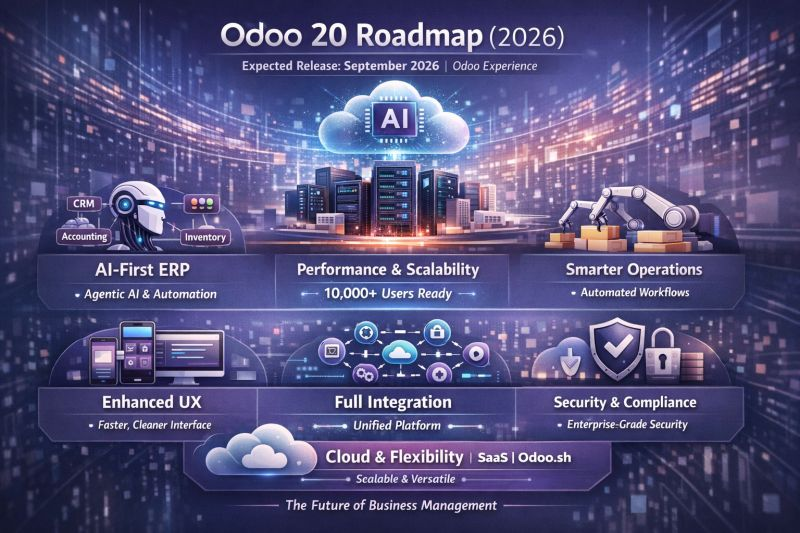
🚀 Odoo 20 is not just an upgrade… it’s a shift toward AI-driven ERP. 👇
## 🚀 Odoo 20 Roadmap (2026)
### 📅 Release Timeline
* Expected launch: **September 2026** during *Odoo Experience.
🧠 1. AI-First ERP (Game Changer)
* AI embedded across **CRM, Accounting, Inventory**
* Shift from chatbot → **Agentic AI (auto-execution)**
* Smart predictions & decision support
👉 Direction: ERP that *acts*, not just reports
⚡ 2. Performance & Scalability
* Support for **10,000+ users (enterprise-ready)**
* Better database architecture (read replicas, speed boost)
* Faster reporting & real-time processing
👉 Direction: Compete with enterprise ERPs
📦 3. Smarter Operations (Automation)
* Proactive **inventory replenishment**
* Automated workflows across departments
* Less manual intervention
👉 Direction: **Autonomous business processes**
🌐 4. Enhanced User Experience
* Improved mobile & offline capabilities
* Faster UI, cleaner dashboards
* Better multi-language website handling
👉 Direction: Consumer-level UX inside ERP
🔗 5. Full Integration Ecosystem
* Stronger API performance
* Seamless integration with external systems
* Unified data across all modules
👉 Direction: **One platform, zero silos**
🔐 6. Security & Compliance
* Advanced security layers
* Localization & compliance expansion
* Real-time monitoring
👉 Direction: Enterprise-grade trust
☁️ 7. Cloud & Flexibility Expansion
* More power in **Odoo.sh & SaaS**
* Scalable cloud infrastructure
* Easier upgrades & deployments
👉 Direction: Cloud-first ERP evolution
🎯 Big Picture (Simple Summary)
👉 Odoo 20 =
**AI + Automation + Scalability + Simplicity**
It’s not just a new version…
It’s moving toward **“Self-Driving ERP”**
From Agentic AI to autonomous inventory and enterprise scalability, Odoo is clearly moving toward a “self-driving business system”.
📅 Expected in Sept 2026
🧠 AI-first approach
⚡ Faster, scalable, smarter
The question is no longer:
“Do you need ERP?”
But:
👉 “How intelligent should your ERP be?”
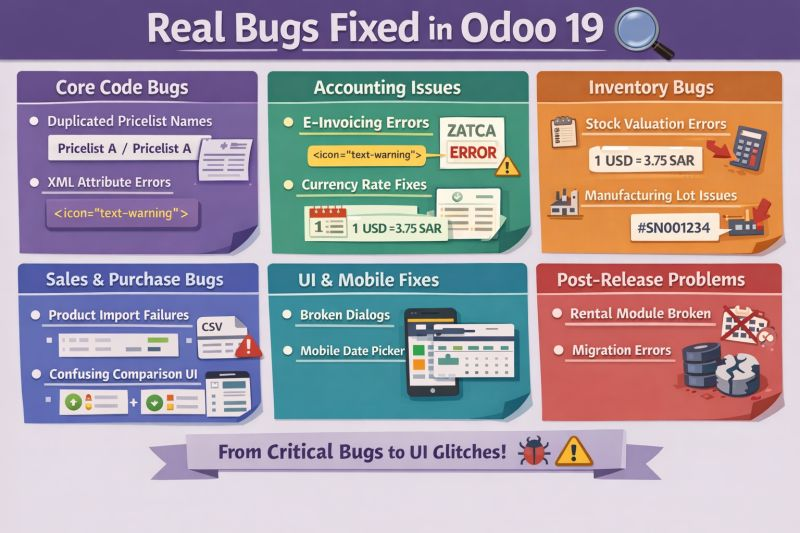
🚨 **Real Bugs Fixed in Odoo 19 — What You Should Know**
Odoo 19 introduced powerful features, but behind the scenes, it also addressed **critical real-world bugs** that impacted daily operations.
Here’s a quick breakdown 👇
🔧 **Core Fixes**
* Pricelist duplication issues resolved
* XML/UI rendering bugs corrected
💰 **Accounting Improvements**
* E-invoicing errors (ZATCA, timeouts) fixed
* More accurate currency rate handling
📦 **Inventory & Manufacturing**
* Critical stock valuation bug resolved
* Improved lot/serial tracking & planning
🛒 **Sales & Purchasing**
* Product variant import issues fixed
* Better vendor comparison tools
📱 **UI & Mobile Experience**
* Cleaner dialogs & improved mobile usability
* Smarter chatter (filters & pinned messages)
⚠️ **But It’s Not Perfect**
Some post-release challenges appeared:
* Rental module regression
* Migration & upgrade issues
* Contacts logic changes confusion
💡 **Takeaway**
Odoo 19 is a strong step forward—but like any major release, **stability improved over time (19.1+)**.
👉 If you're planning an upgrade,
focus on:
✔ Patch level
✔ Testing critical flows
✔ Module compatibility
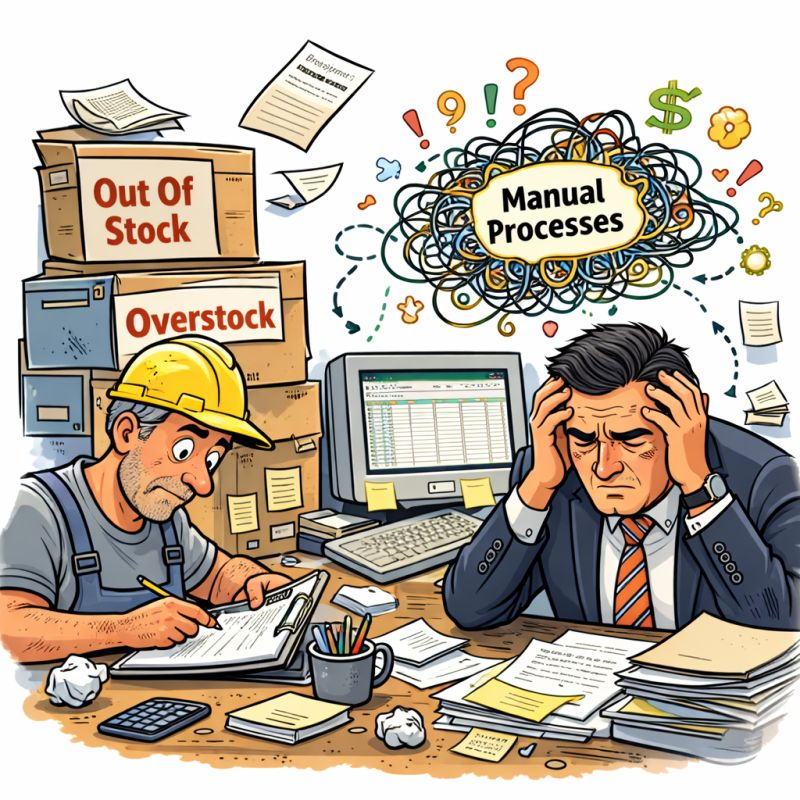
🚨 Signs Your Company Needs an ERP… Immediately
Many companies delay the decision to implement an ERP system—and end up paying the price in wasted time, errors, and missed opportunities.
If you notice these signs, then it’s no longer a luxury—it’s a necessity 👇
🔹 Over-reliance on Excel
Each department works in isolation, and the numbers don’t match
🔹 Lack of clear visibility into business status
Reports are delayed, and decisions are based on guesswork
🔹 Inventory issues
Sudden stockouts or excess stagnant inventory
🔹 Disconnected departments
Sales is in one place, Accounting is in another
🔹 Customer service is suffering
Delayed responses or incomplete information
🔹 Growth is creating chaos
The bigger you get… the bigger the problems become
🔹 Too much time wasted on routine tasks
Processes that could be automated are still done manually
💡 The simple truth:
Companies don’t need ERP to grow…
They need it to grow the right way
If this sounds like your situation, then the question isn’t “Should we implement ERP?”
The real question is: “When?”
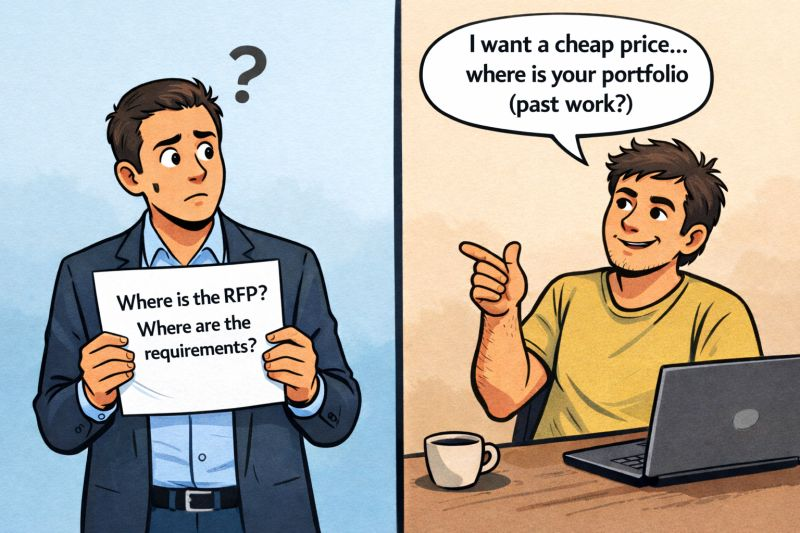
⭕ “A client who doesn’t know what they want… doesn’t need a system… they need someone to understand them first.”
The problem isn’t just the client… and it’s not just the vendor… the real issue is the process maturity on both sides.
Let’s break down what’s happening 👇
1️⃣ The client who “just wants the cheapest option”
This type is usually:
- Not aware of the system’s real value → sees it as a cost, not an investment
- Has been burned before → so they look for superficial validation (portfolio / scripted talk)
- Lacks internal vision → so they can’t even write a proper RFP
📌 Result:
They ask shallow questions… and choose based on price or marketing الكلام
2️⃣ A vendor that sells fast instead of understanding
Some companies:
- Focus on closing, not understanding
- Are afraid to say “no” to unsuitable projects
- Sell a nice demo instead of a real solution
📌 Result:
A project is sold wrong → implemented wrong → client gets burned → the whole market suffers
3️⃣ No real Discovery phase
This is the biggest reason:
- No proper business analysis
- No documented processes
- No proper RFP or even a solid BRD
📌 Result:
People speak in “impressions” instead of “requirements”
👈 The realistic conclusion
The market isn’t corrupt… it’s just not professionally managed enough.
And there are huge opportunities for those who:
- Work differently
- Lead the client instead of following them
So what should you do as a company or consultant? (This is the key part)
✅ 1. Qualify the client from the start
Not every client is worth serving.
Ask:
- Do they understand why they need an ERP?
- Are they willing to invest time/money in understanding?
If the answer is “no” →
Either educate them… or walk away
✅ 2. Sell “Discovery”, not a “System”
Instead of responding to vague talk with more vague talk:
Say:
“Before I give you a price… we need analysis sessions to produce an RFP or a blueprint.”
Even if it’s paid (symbolically)
📌 This helps:
- Filter serious clients
- Increase your perceived value
- Reduce failure rates
✅ 3. Turn your “portfolio” into real stories
Instead of:
“We worked with Company X”
Say:
- What was the problem?
- How did you solve it?
- What was the result?
📌 This answers “silly questions” intelligently
✅ 4. Flip the equation (Educate instead of react)
Create solid content on social media:
- Educational posts
- Short videos
- Real case examples
📌 Over time:
You build a better client instead of tolerating a bad one
✅ 5. Create productized packages
For example:
- Starter ERP Package
- Manufacturing Blueprint Package
- Retail Fast Track
📌 This allows:
The client who “doesn’t know what they want” → to choose from something clear and structured.
If you want, I can also refine this into a LinkedIn post, sales pitch, or website copy.
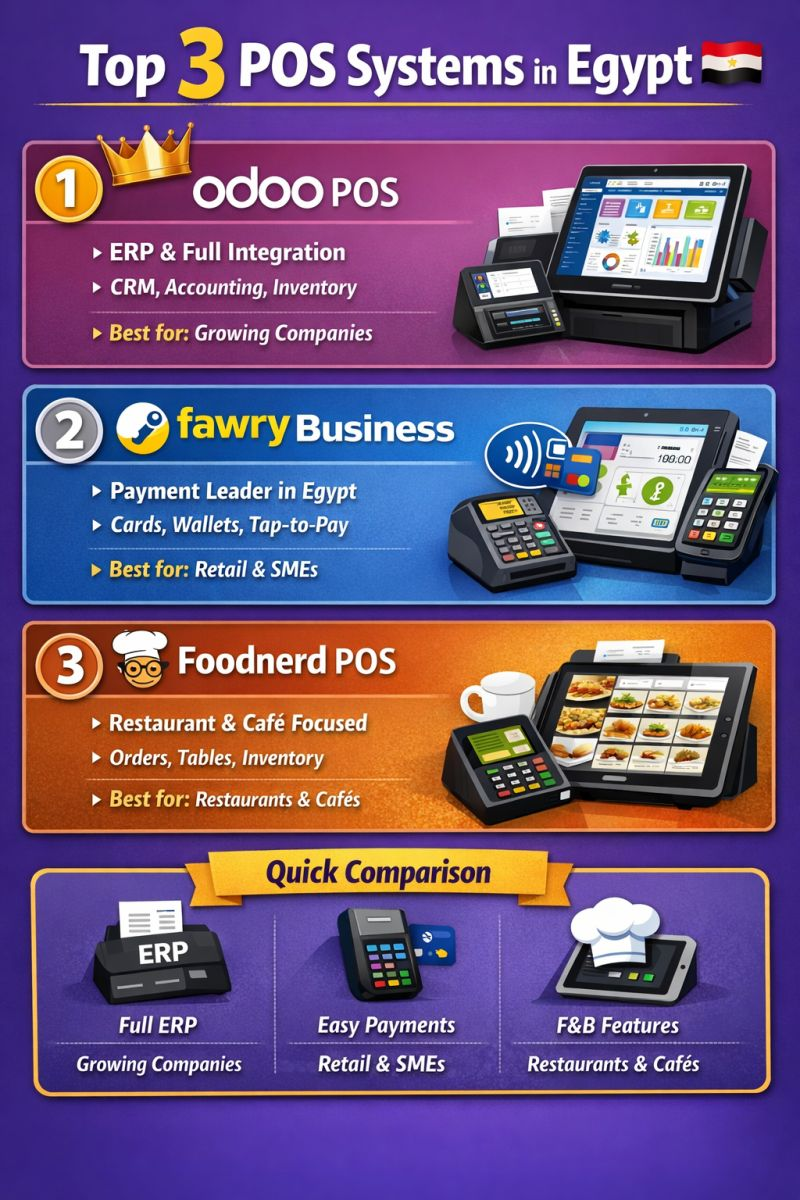
Here are **Top 3 POS systems in Egypt** (based on real market presence, adoption, and capabilities):
🥇 1. Odoo POS
**Best for:** Companies looking for full ERP integration
**Why it stands out:**
* Fully integrated with CRM, Accounting, Inventory, eCommerce
* Cloud-based + works offline
* Highly customizable for different industries
* Strong ecosystem in Egypt (partners + integrations like Fawry)
👉 **Use case:** Retail chains, restaurants, SMEs scaling to enterprise
🥈 2. Fawry Business POS
**Best for:** Payments & Egyptian market compliance
**Why it stands out:**
* Egypt’s leading fintech with wide adoption
* Supports **card, wallet, and contactless payments (Tap-to-Pay)**
* Offers **Soft POS (mobile-based POS بدون جهاز)**
* Strong financial ecosystem (collections, payments, financing)
👉 **Use case:** Small businesses, retail stores, merchants needing easy payment acceptance
🥉 3. Foodnerd POS
**Best for:** Restaurants & cafés
**Why it stands out:**
* Built specifically for **F&B operations**
* Handles orders, kitchen workflows, tables, QR ordering
* Strong inventory + staff management
* Cloud-based and easy to use
👉 **Use case:** Restaurants, coffee shops, food trucks
🎯 My Practical Advice (Egypt Market)
* If you want **ERP + POS in one system → Odoo**
* If you want **simple + strong payment solution → Fawry**
* If you run a **restaurant → Foodnerd**
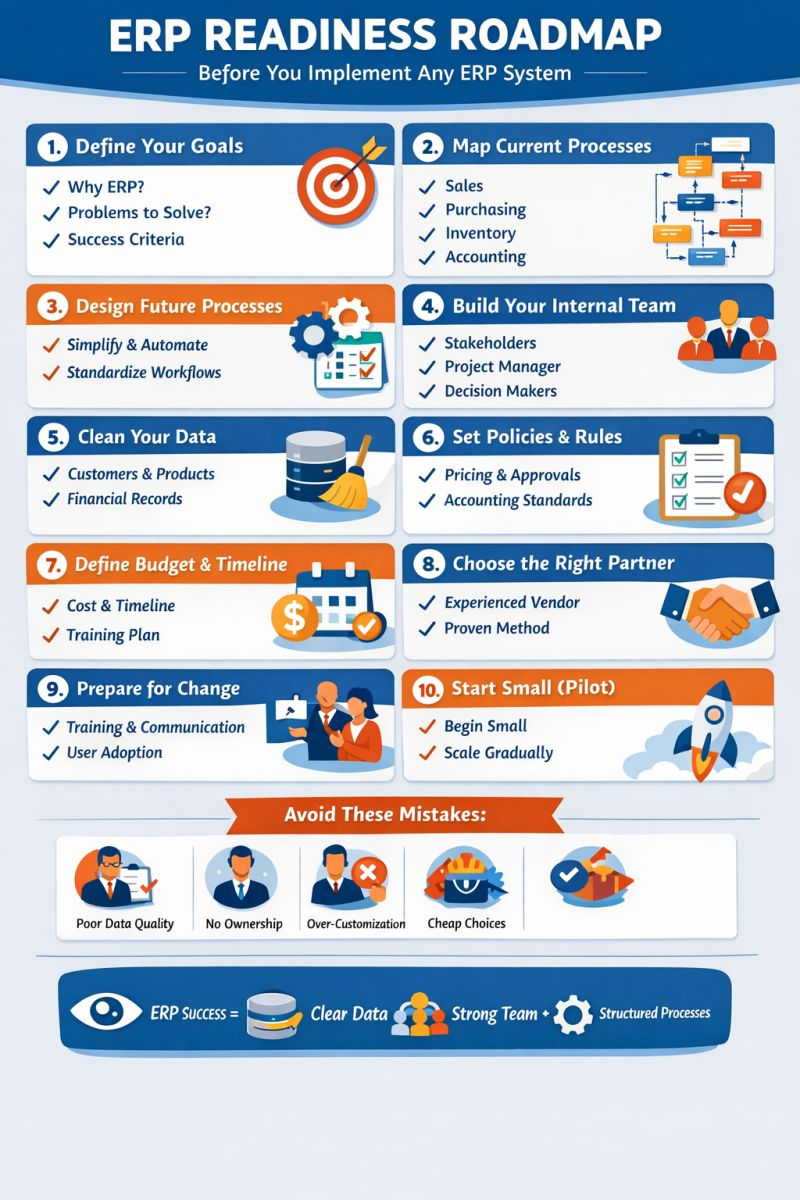
📊 **ERP Readiness Roadmap**
### *Before You Implement Any ERP System*
🎯 1. Define Your Goals
✔ Why ERP?
✔ What problems to solve?
✔ What success looks like?
🔍 2. Map Current Processes (AS-IS)
📌 Sales
📌 Purchasing
📌 Inventory
📌 Accounting
➡ Identify gaps & inefficiencies
🔄 3. Design Future Processes (TO-BE)
✨ Simplify workflows
⚙ Automate operations
📏 Standardize processes
👥 4. Build Your Internal Team
👔 Business stakeholders
🧑💼 Project manager
🧠 Decision makers
➡ ERP = Business Project, not IT only
🧹 5. Clean Your Data
🗂 Customers & Vendors
📦 Products & Inventory
💰 Financial data
➡ Remove duplicates & errors
📏 6. Set Policies & Rules
📌 Pricing strategy
📌 Approval workflows
📌 Accounting structure
➡ ERP enforces discipline
💰 7. Define Budget & Timeline
💵 Software + Implementation
⏳ Realistic timeline
📚 Training & support
🤝 8. Choose the Right Partner
✔ Industry experience
✔ Clear methodology
✔ Strong communication
🎓 9. Prepare for Change
👨🏫 Training plan
📢 Internal communication
🔄 User adoption strategy
🚀 10. Start Small (Pilot)
📍 Begin with one module
📈 Learn & improve
🔁 Scale gradually
⚠️ **Avoid These Mistakes**
❌ Poor data quality
❌ No internal ownership
❌ Over-customization
❌ Choosing based on price only
💡 **Key Formula**
### ERP Success =
**Clear Vision + Clean Data + Strong Team + Structured Processes**
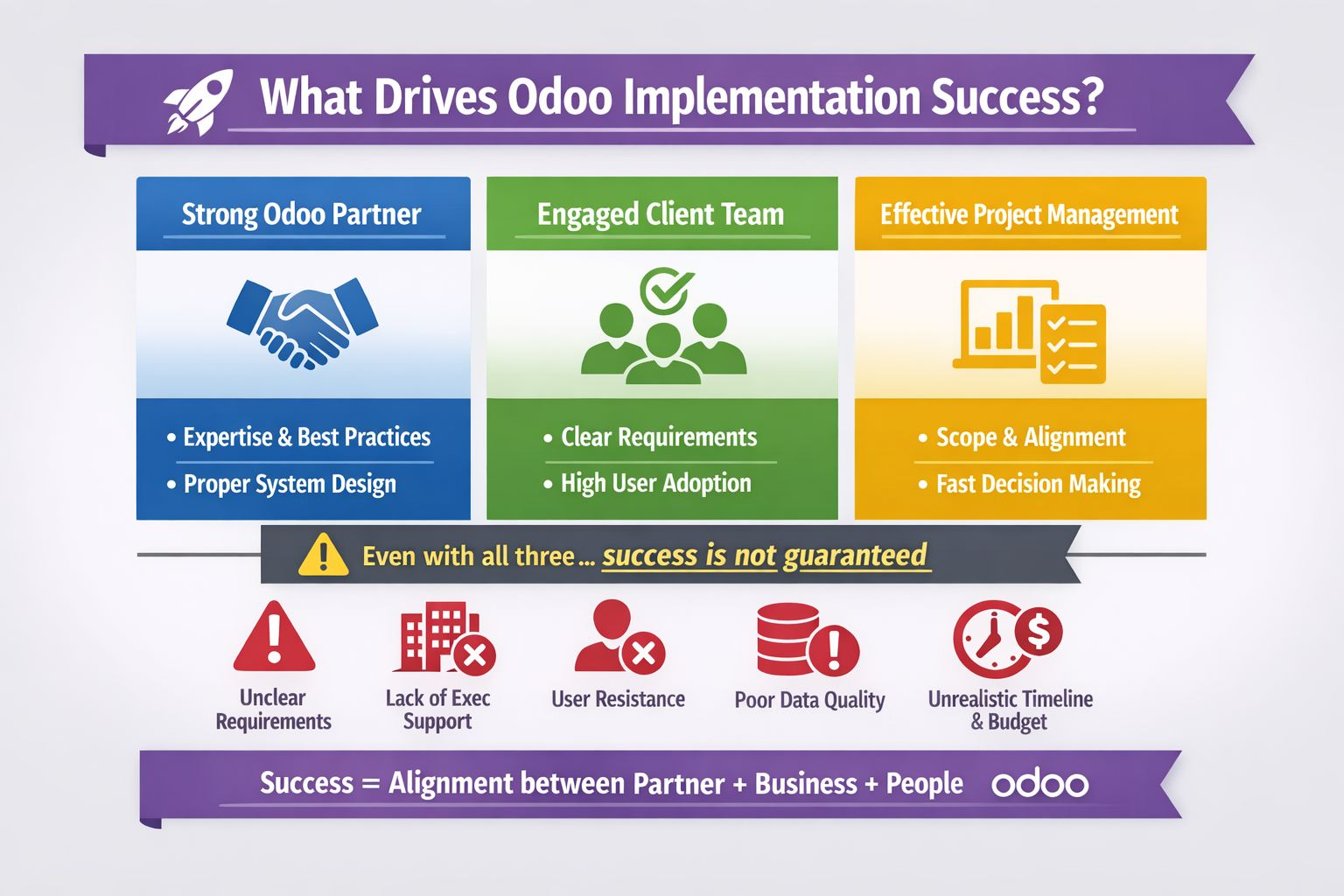
⭕Is a strong Odoo ERP system partner + an engaged client team + solid project management from the company side dramatically increase the chances of success and they fully guarantee it?
📌Here’s a more precise way to answer this question.
A strong implementation partner, combined with an engaged client-side team and effective internal project management, is the foundation of a successful Odoo implementation.
🤔Why it works?
Strong partner → brings technical expertise, best practices, and realistic scoping
Client engagement → ensures requirements are accurate and adoption is high
Internal PM → aligns business goals, controls scope, and drives decisions
What’s still missing (the “hidden factors”)
Even with all that, projects can struggle if:
❌ Requirements are unclear or constantly changing (scope creep)
❌ Top management isn’t truly supportive
❌ Users resist change (this is a big one in ERP projects)
❌ Data is messy or poorly migrated
❌ Unrealistic timelines or budget constraints
Stronger statement (LinkedIn-ready)
Conclusion
A successful Odoo implementation isn’t just about choosing the right partner.
It’s the combination of a strong partner, an engaged client team, and disciplined project management that creates the conditions for success—while clear requirements, executive support, and user adoption determine the outcome.
Many companies start their Odoo ERP journey with high expectations—looking for a unified platform to streamline operations, improve visibility, and scale efficiently.
Yet, a significant number of implementations struggle or fail.
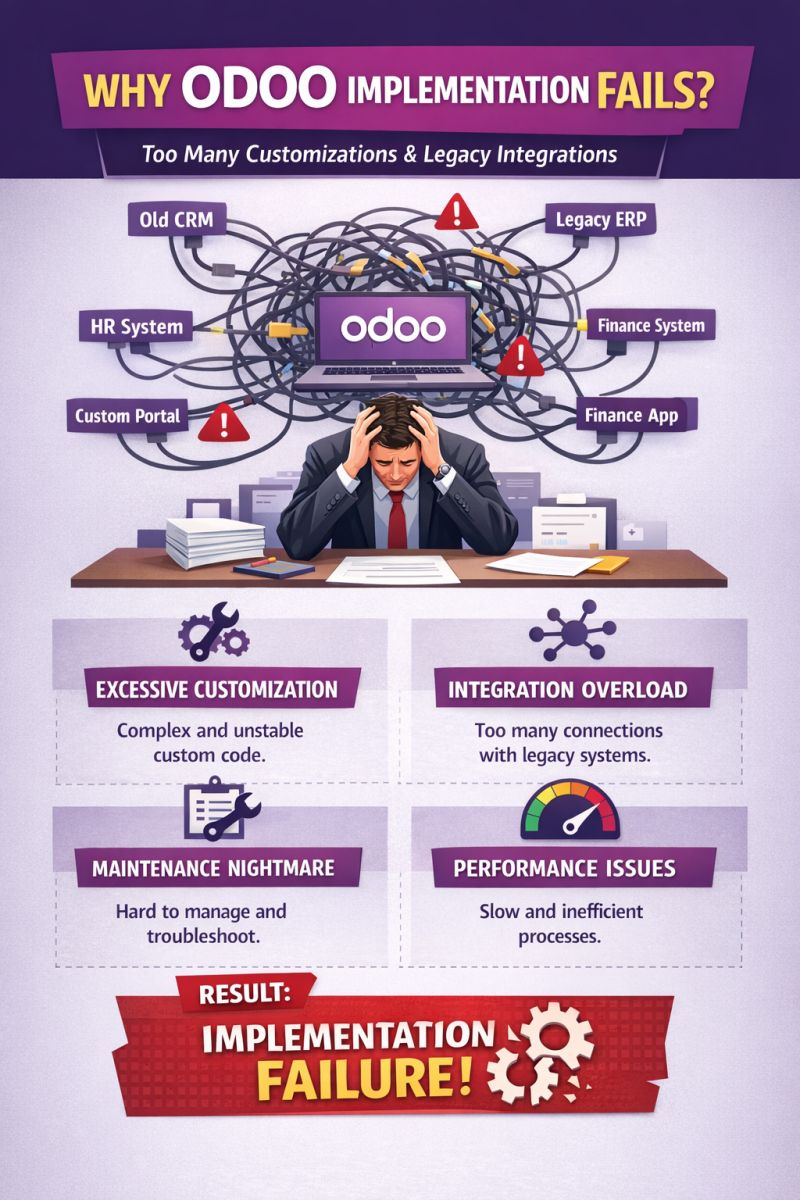
One of the most common—and underestimated—reasons is **excessive customization combined with heavy reliance on legacy system integrations**.
⚠️ The Core Problem
Instead of adapting business processes to fit Odoo’s standard best practices, companies often try to:
* Replicate every legacy system behavior
* Integrate with multiple outdated applications
* Build custom features for every department request
This leads to a **highly complex and fragile system**.
🔧 1. Excessive Customization: Turning ERP into a Custom Software Project
Odoo is designed as a **modular, standardized platform**.
When over-customized:
* Code becomes complex and difficult to maintain
* Upgrades become risky or even impossible
* Dependency on specific developers increases
👉 Result: The system loses one of its biggest advantages—**scalability and flexibility**
🔗 2. Integration Overload: Too Many Legacy Connections
Companies often try to connect Odoo with:
* Old CRM systems
* External finance tools
* Custom portals
* HR or payroll systems
While integrations are sometimes necessary, **too many integration points create chaos**:
* Data synchronization issues
* Increased failure points
* Delayed processes
* Difficult troubleshooting
👉 Instead of one unified system, you end up with a **distributed mess**
🛠 3. Maintenance Nightmare
A heavily customized and highly integrated system becomes:
* Hard to debug
* Expensive to maintain
* Dependent on multiple vendors
Even small changes can break other parts of the system.
👉 IT teams spend more time fixing issues than delivering value
⚡ 4. Performance & User Experience Issues
With too many custom modules and integrations:
* System performance slows down
* User experience degrades
* Employees lose trust in the system
👉 Adoption drops—and without adoption, ERP fails
💥 The Final Result: Implementation Failure
At this stage, companies often face:
* Budget overruns
* Delayed go-live
* Frustrated users
* Abandoned systems
The ERP becomes a burden instead of a business enabler.
✅ Best Practice: How to Avoid This
To ensure a successful Odoo implementation:
✔ Adopt Standard First
Use Odoo’s native features wherever possible
👉 Customize only when it creates real business value
✔ Minimize Integrations
* Replace legacy systems instead of connecting them
* Keep only critical integrations
✔ Simplify Before Automating
Don’t automate broken processes
👉 Optimize and standardize first
✔ Strong Governance
* Control customization requests
* Prioritize business impact over user preferences
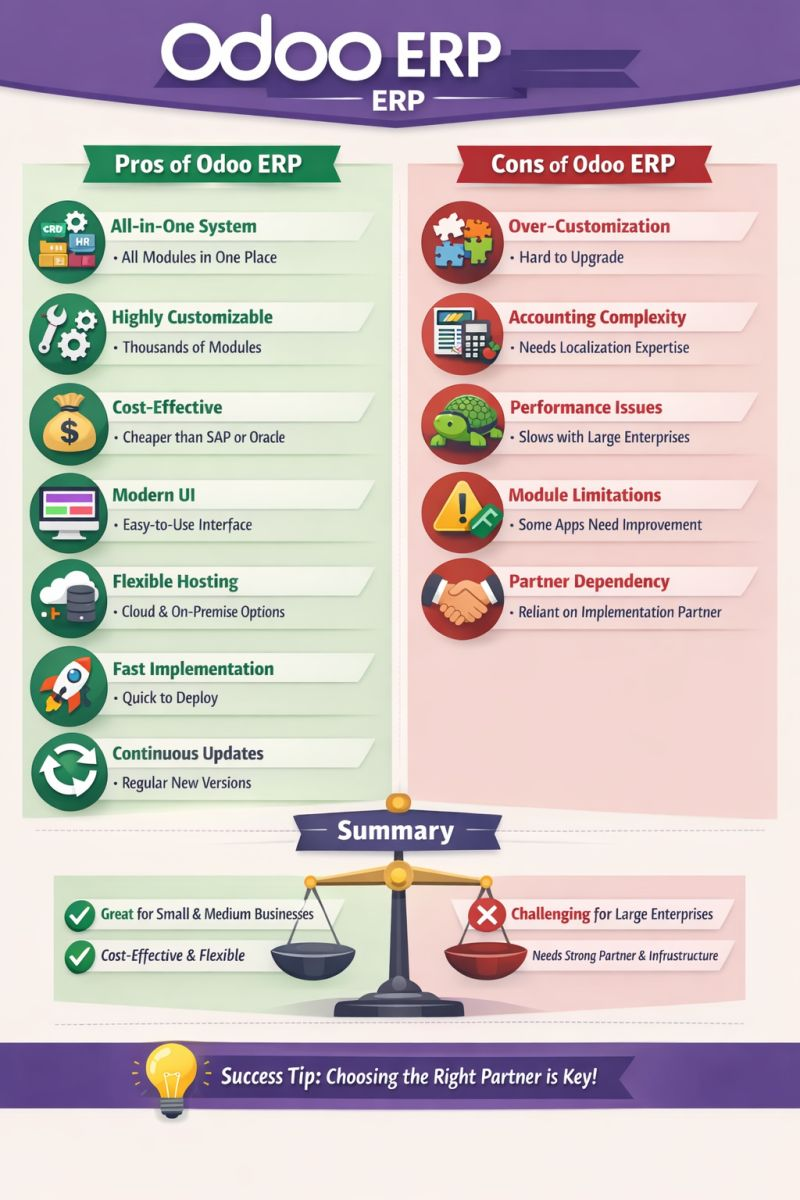
Here’s a clear and practical breakdown of **Odoo ERP** advantages and disadvantages 👇
✅ Pros of Odoo
1. **All-in-One Platform**
* Combines CRM, Accounting, Sales, Inventory, HR, Manufacturing, eCommerce, and more
* Eliminates need for multiple disconnected systems
2. **Modular & Scalable**
* Start small (e.g., CRM only) and expand as your business grows
* Ideal for startups → mid-size → even large enterprises
3. **User-Friendly Interface**
* Clean UI compared to many traditional ERPs
* Easier adoption for non-technical users
4. **Highly Customizable**
* Open-source (Community version) allows deep customization
* Thousands of third-party apps available
5. **Cost-Effective (Initially)**
* Lower entry cost vs competitors like SAP ERP or Oracle ERP Cloud
* Flexible pricing depending on apps and users
6. **Strong Integration**
* Native integration between modules (no heavy middleware needed)
* API support for external systems
7. **Cloud & On-Premise Options**
* Flexible deployment depending on business needs
❌ Cons of Odoo
1. **Customization Can Become Complex**
* Heavy customization requires skilled developers
* Poor implementation can break upgrades
2. **Upgrade Challenges**
* Migrating between versions (e.g., v14 → v17) can be costly/time-consuming
* Especially with custom modules
3. **Hidden Costs**
* While base cost is low, total cost increases with:
* Custom development
* Hosting
* Support & maintenance
4. **Performance Issues (if poorly sized)**
* Wrong infrastructure sizing can:
* Slow down system
* “Choke” operations under load
5. **Dependence on Implementation Partner**
* Success heavily depends on partner quality
* Poor partner = failed project
6. **Accounting Limitations (in some countries**
* May require localization or customization for compliance
7. **Not Always Best for Very Large Enterprises**
* Companies with extremely complex processes may prefer systems like SAP S/4HANA
🎯 When Odoo is a GREAT choice
* SMEs and growing companies
* Businesses wanting **one unified system instead of multiple tools**
* Companies needing flexibility & customization
🚫 When to think twice
* Very large enterprises with complex legacy processes
* Companies without a strong ERP partner
* Projects with unclear requirements (high risk of scope creep).
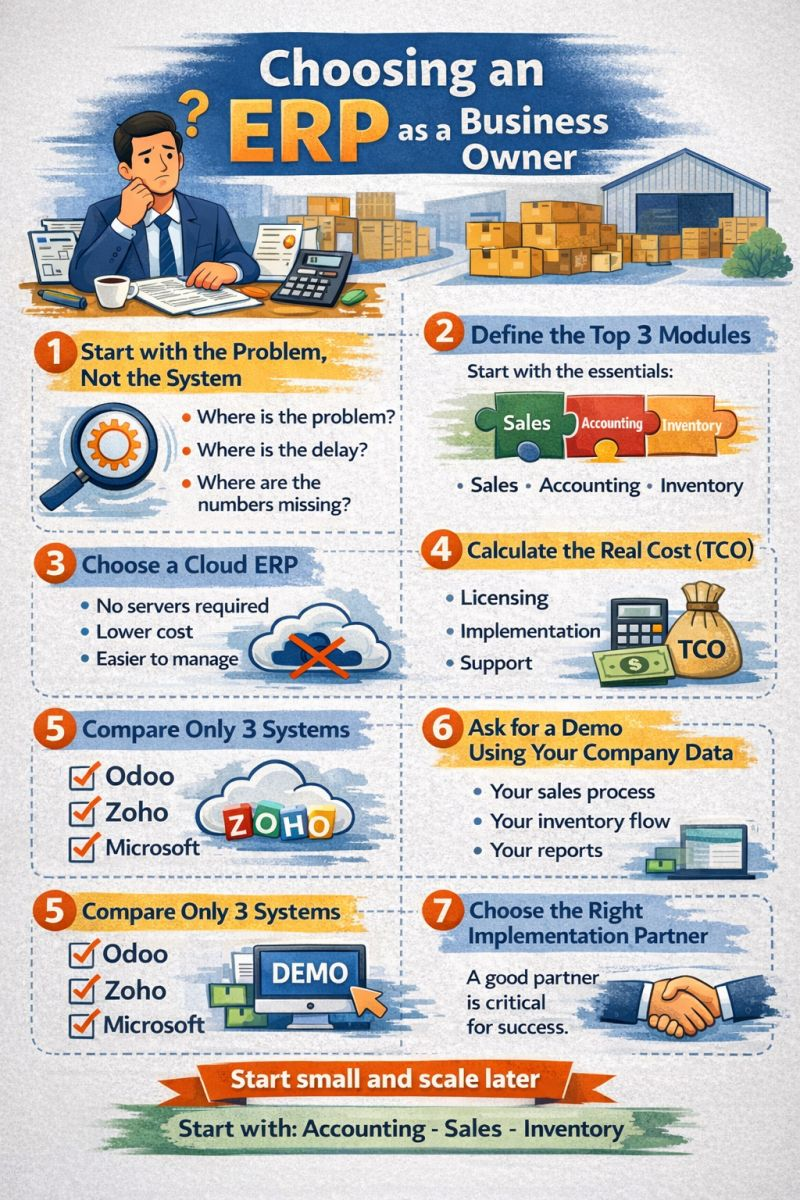
# Choosing an ERP as a Business Owner
1️⃣ Start with the Problem, Not the System
Ask yourself:
* Where is the problem?
* Where is the delay?
* Where are the numbers missing?
2️⃣ Define the Top 3 Modules
Start with the essentials:
* Sales
* Accounting
* Inventory
3️⃣ Choose a Cloud ERP
* No servers required
* Lower cost
* Easier to manage
4️⃣ Calculate the Real Cost (TCO)
Consider the full cost:
* Licensing
* Implementation
* Support
5️⃣ Compare Only 3 Systems
For example:
* Odoo
* Zoho
* Microsoft
6️⃣ Ask for a Demo Using Your Company Data
Test the system with:
* Your sales process
* Your inventory flow
* Your reports
7️⃣ Choose the Right Implementation Partner
A good partner is critical for success.
✅ **Start small and scale later**
Start with:
**Accounting – Sales – Inventory**
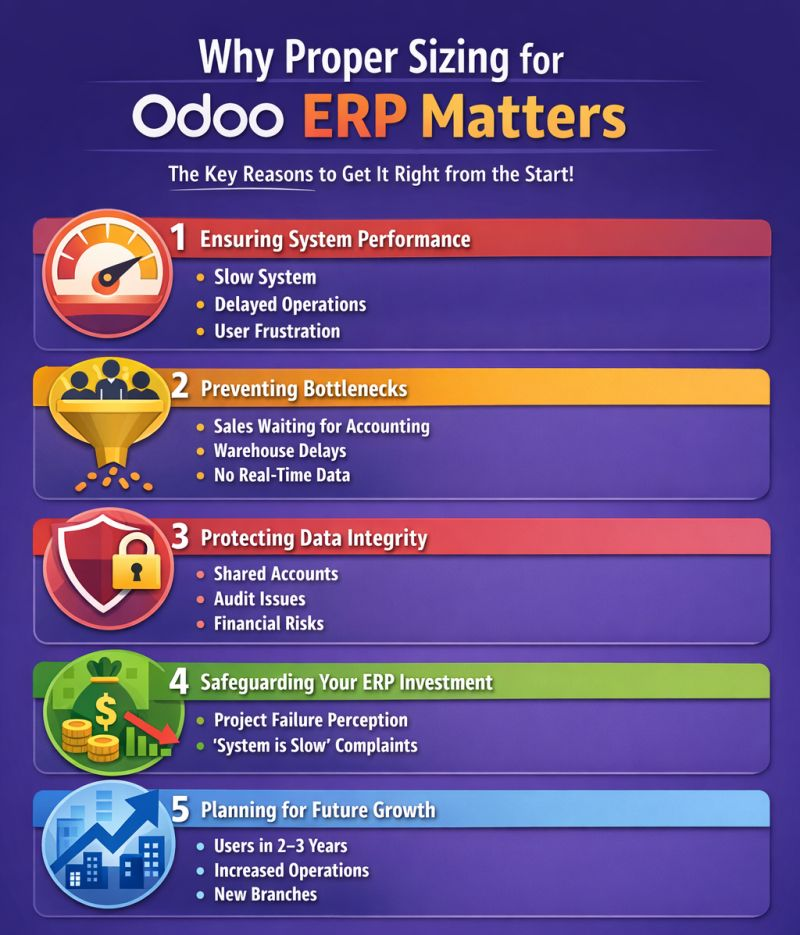
⭕ Doing the **correct sizing** by the Odoo partner is extremely important because it directly impacts the **success or failure of the project** after go-live.
The problem is that the **decision maker in the company often focuses only on cost**, and may reduce the number of users or resources. This can lead to **choking the operation** inside the system.
📌 Here are the key points that an **Odoo Partner should explain to the client:**
1️⃣ Ensuring System Performance
When the number of users or resources is reduced below what is required:
* The system becomes **slow**
* Operations such as **sales, manufacturing, or inventory** get delayed
* Users **lose confidence in the system**
**Common example:**
A company has **40 employees using the system**, but management purchases **only 20 user licenses**.
The result:
* Shared accounts
* Heavy pressure on operations
* Data errors
2️⃣ Preventing Operational Bottlenecks
If the number of users is lower than required:
* The **sales employee waits for the accountant**
* The **warehouse employee waits for the inventory manager**
* Operations are done **outside the system** and entered later
This destroys one of the most important goals of ERP: **Real-Time Data**.
3️⃣ Protecting Data Integrity
When the number of users is reduced:
* Employees start **sharing accounts**
* It becomes impossible to know **who performed an action**
* **Financial auditing becomes difficult**
This is particularly risky in:
* Accounting
* Inventory
* Approvals
4️⃣ Protecting the ERP Investment
ERP is not just software; it is a **transformation in how the company is managed**.
If sizing is incorrect:
* The project may appear as a **failure**
* Management may say:
*“The system is slow and impractical.”*
While the real problem is not the system, but **poor planning**.
5️⃣ Planning for Future Growth (Scalability)
Companies usually grow.
Proper sizing should consider:
* The number of users after **2–3 years**
* Increased operations
* Opening new branches
Instead of **rebuilding the infrastructure after one year**.
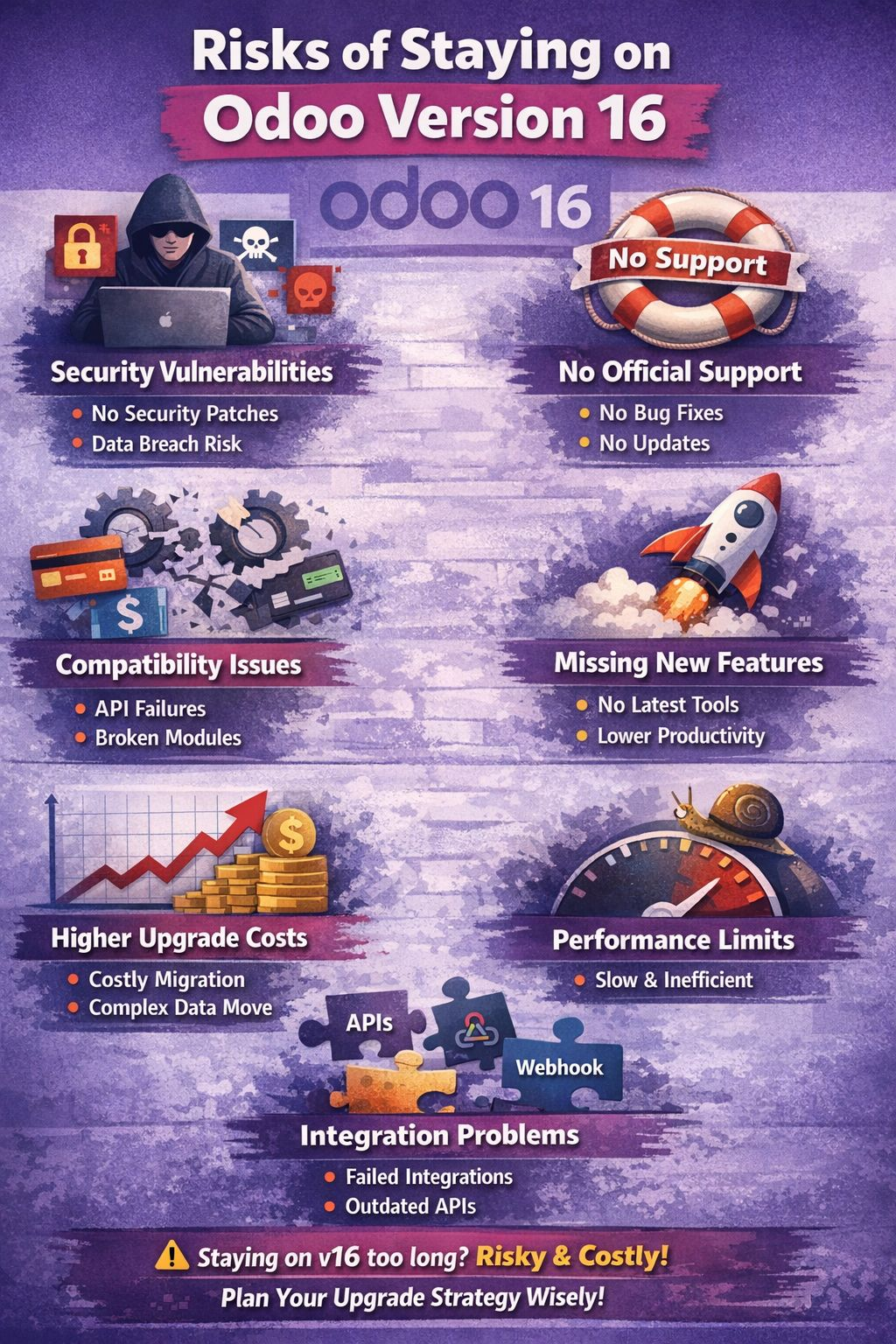
📌What are risks of staying on Odoo Old versions (Version 16)?
Staying on **Odoo Version 16** (especially if you don’t upgrade when support ends) can create technical, security, and business risks. Since you run an Odoo-focused channel, this is also important from a credibility perspective.
Here are the key risks:
1️⃣ Security Vulnerabilities
* Older versions stop receiving **security patches** after official support ends.
* New exploits discovered later won’t be fixed.
* Higher risk of:
* Data breaches
* Ransomware
* Unauthorized access
* This is especially critical if you're hosting publicly.
2️⃣ No Official Support
If you're on Community:
* No official Odoo support anyway.
If you're on Enterprise:
* Once version 16 reaches end-of-life, you lose:
* Bug fixes
* Compatibility updates
* Legal/accounting updates
This becomes risky for companies in regulated environments.
3️⃣ Compatibility Problems
Over time:
* Payment gateways stop supporting older APIs.
* Browsers change.
* OS updates break dependencies.
* Third-party modules stop supporting v16.
Examples:
* Payment providers updating SDKs.
* Shipping APIs changing.
* New tax rules not implemented.
4️⃣ Missing New Features
Newer Odoo versions bring:
* Performance improvements
* UI upgrades
* Automation tools
* AI features (in recent versions)
* Accounting improvements
Staying on 16 means:
* Lower productivity
* Manual work where automation exists
* Competitive disadvantage
5️⃣ Higher Long-Term Upgrade Cost
The longer you wait:
* The harder the migration becomes.
* Custom modules need bigger refactoring.
* Data migration becomes more complex.
Upgrading from 16 → 17 is manageable.
Upgrading from 16 → 19 later? Much harder.
6️⃣ Performance Limitations
New versions optimize:
* ORM
* Reporting
* Caching
* Web client speed
Older versions:
* Slower under load
* Less scalable for growing companies
7️⃣ Integration Risk
Modern tools expect:
* Updated APIs
* OAuth standards
* Webhooks
Older Odoo versions may:
* Break integrations
* Require custom patches
* Increase maintenance cost
🚨 When Is It OK to Stay on v16?
It might be reasonable if:
* The system is stable
* No public exposure
* Minimal integrations
* Limited budget
* Migration planned in 12–18 months
But staying indefinitely is not recommended.
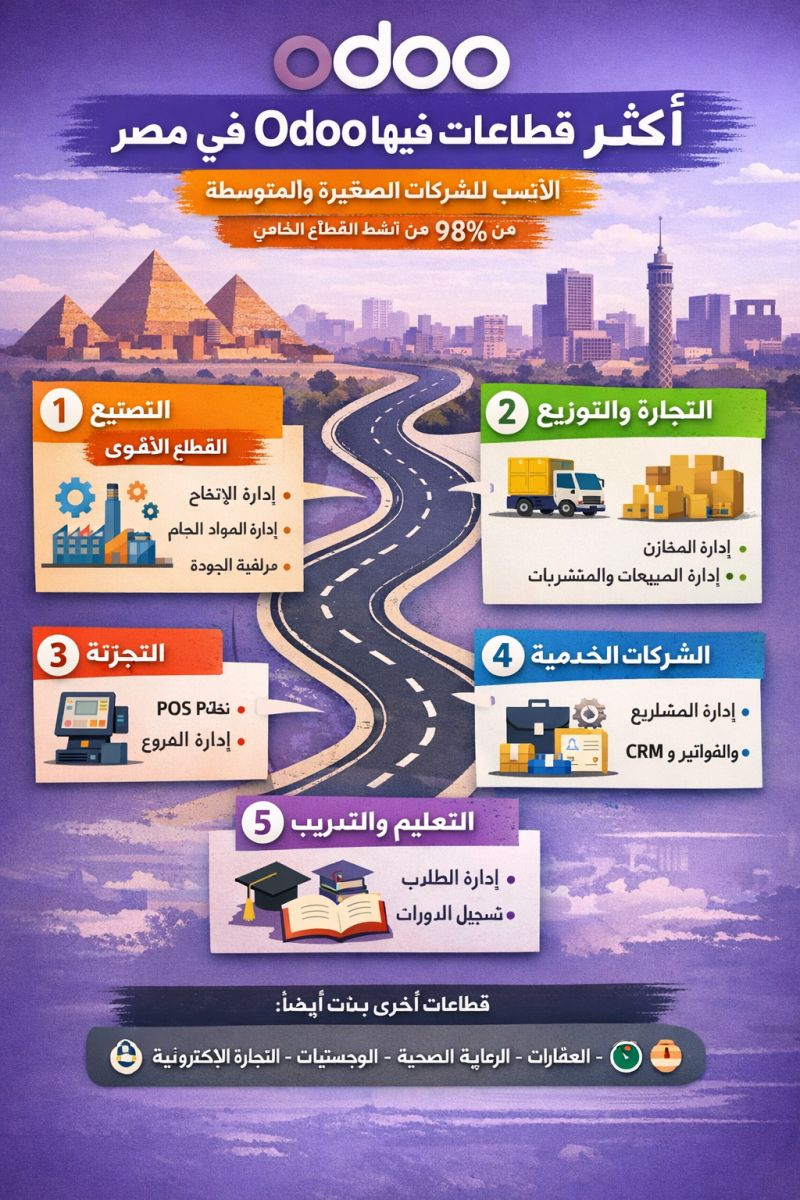
⭕ What are the most successful business sectors in 🇪🇬 Egypt using Odoo?
In Egypt, the Odoo system has shown clear success in certain sectors more than others, especially those that rely on inventory, operations, and integration between departments.
Based on implementation projects in the Egyptian market and the experience of Odoo partners, these are the sectors where Odoo has been most successful:
Most Successful Sectors for Odoo in Egypt
1️⃣ Manufacturing – The Strongest Sector
This is one of the most prominent sectors using Odoo in Egypt.
Why?
- Production management (Manufacturing Orders)
- Raw materials management (BOM)
- Production planning
- Quality control
- Integration with inventory and purchasing
Industries that use it:
- Food manufacturing
- Garment factories
- Plastic manufacturing
- Engineering industries
Many manufacturing companies in Egypt have used Odoo to improve production efficiency, reduce errors, and enhance inventory management.
2️⃣ Trading & Distribution
The second most successful sector for Odoo in Egypt.
Why?
- Multi-warehouse management
- Supplier and purchasing management
- Sales management
- Full inventory tracking
Includes:
- FMCG companies
- Import and distribution companies
- Electrical appliances companies
- Food trading companies
Odoo helps these businesses manage the entire supply chain—from purchasing to sales.
3️⃣ Retail
Highly successful for companies that have:
- Multiple branches
- POS systems
- Centralized inventory management
Benefits:
- Integration between POS and warehouses
- Real-time sales reporting
- Customer loyalty programs
Some retail chains in Cairo have improved sales performance using Odoo’s integrated POS system.
4️⃣ Service Companies
Such as:
- Consulting firms
- Software companies
- Small construction companies
- Maintenance companies
They use:
- Project Management
- Timesheets
- CRM
- Invoicing
This helps them manage both projects and clients within a single system.
5️⃣ Education & Training Centers
A growing sector for Odoo adoption in Egypt.
Use cases:
- Student management
- Course registration
- Invoicing
- Human resources
Some Odoo partners provide customized solutions for schools and universities.
Other Sectors Where Odoo Is Growing
But to a lesser extent:
- Real estate
- Healthcare
- Logistics
- E-commerce
Market Summary in Egypt
If we rank sectors based on actual Odoo adoption in Egypt, it would typically be:
1️⃣ Manufacturing
2️⃣ Trading & Distribution
3️⃣ Retail
4️⃣ Service Companies
5️⃣ Education
✅ Important Insight:
The real reason behind Odoo’s success in Egypt is that it is highly suitable for small and medium-sized enterprises (SMEs), which represent حوالي 98% of private sector activity in Egypt.
Dear Odooers,
Upgrading Odoo is not just about moving from an older version to a shiny new one. It is a business evolution process. When done right, the upgrade gives you better performance, new AI capabilities, smoother workflows, better UI, and more efficient teams.
But… When done wrong, it can bring frustration, data issues, and unexpected downtime.
Over the past years, working with companies across the USA, Europe, and India, we have noticed five common mistakes that organizations repeat during Odoo upgrades. If you avoid these, your journey becomes much smoother.
Let’s go through them.
1. Treating the Upgrade as a Technical Task Only
Many think:
“Upgrading is just updating the software.”
But an Odoo upgrade affects:
- Processes
- Workflows
- User habits
- Reporting format
If your team doesn’t adapt parallelly, the system will feel unfamiliar and confusing.
✅ Treat the upgrade as a business improvement project, not just an IT job.
✅ Update SOPs.
✅ Communicate the changes early.
2. Not Reviewing Existing Customization
Over the years, teams ask developers: “Can you customize this?” “Yes.” “Add another?” “Yes.”
Result? A customization web that no one remembers why.
During upgrade:
- Many custom features are no longer needed.
- Some are now already available in the new version as standard features.
- Some are slowing down performance.
✅ Audit every customization
✅ Keep only what is still necessary
✅ Replace where Odoo now has a better standard alternative
This alone reduces upgrade complexity by 30-70 percent.
3. Not Involving End Users Early
Often leadership and technical teams manage the upgrade quietly. Then suddenly they announce:
“Team, from Monday we are on Odoo v19. Good luck!”
This is how you get:
- User frustration
- Resistance
- Low adoption
✅ Involve users from Day 1
✅ Let them test early
✅ Ask feedback
✅ Train slowly
When users feel ownership, they become your biggest supporters.
4. Skipping Data Clean-Up Before Upgrade
Old data = Old mistakes If you carry it as-is into the new system, it comes back in a bigger shape.
Examples:
- Duplicate customer entries
- Unreconciled accounts
- Open orders that are actually closed
- Old master data never maintained
✅ Clean data before upgrade
✅ Validate master data
✅ Close irrelevant entries
Good data is half the upgrade success.
5. Not Testing Enough Before Go-Live
One of the biggest mistakes is rushing. Teams get excited, deadlines push forward, and testing becomes “we’ll check later.”
But later becomes too late.
✅ Create a real business test environment
✅ Test:
- Workflows
- Reports
- Tax scenarios
- Integrations
- User roles & restrictions
Small things break workflows. Testing avoids disruptions.
Final Thoughts
Upgrading Odoo is an investment into your future efficiency. If you avoid these five mistakes, your upgrade becomes:
⭐ Faster
⭐ Smoother
⭐ Cost-efficient in long run
⭐ User-friendly
⭐ Ready for new AI capabilities in v19 and beyond
And remember: Upgrading Odoo means upgrading how your business works. Not just your software.
If you are planning to upgrade soon
We are always happy to guide you with:
- Upgrade strategy
- Customization audit
- User training plan
- Odoo.sh upgrade readiness
- Testing & validation framework
See you in the next edition!